


AICPA Power Query Course for Accountants | 4 CPE Credits
-
-
-
-
-
-
How It Works – Enrollment to Certification
Step 1: Purchase on Eduyush → You'll receive an order confirmation immediately.
Step 2: AICPA Activation (within 3 working days) → AICPA sends your login credentials directly to the email used during checkout.
Step 3: Self-Paced Learning → Access all course modules online. Study at your own pace within the 12-month access window.
Step 4: Pass Module Assessments → Each module ends with an MCQ evaluation. Score 70% or above to pass. You can retake assessments unlimited times.
Step 5: Earn Your Certificate & Digital Badge → Once all modules are cleared, your certification is granted. You'll receive a badge notification from admin@credly.com within approximately 15 business days.
Step 6: Share on LinkedIn → Accept your badge on Credly and add it to your LinkedIn profile under Licenses & Certifications.
Your AICPA Digital Badge
What is a digital badge?
A digital badge is a verified, portable credential issued through Credly (formerly Acclaim) that validates you've completed an AICPA & CIMA certificate program. It contains embedded metadata about what you learned and the criteria you met.
How do I receive it?
Within approximately 15 business days of completing all modules, you'll get an email from admin@credly.com with a link to accept your badge.
Where can I display it?
LinkedIn (under Licenses & Certifications), email signatures, personal websites, resumes, and professional portfolios. Credly provides direct share buttons for major platforms.
Is it verifiable?
Yes. Every badge has a unique URL linked to your verified profile on Credly. Anyone can click the badge to confirm it's authentic and see the specific competencies it represents.
Does it expire?
The badge itself doesn't expire. It's a permanent record of your achievement.
Access, Activation & Course Format
- Format: 100% online, self-paced eLearning
- Activation: Within 3 working days of purchase, AICPA sends credentials to your registered email
- Access Duration: 12 months from activation date
- Assessment Format: MCQ evaluations at the end of each module
- Passing Score: 70% per module
- Retakes: Unlimited — no additional fees
- Prerequisites: No prior data analytics experience required (individual product pages note recommended prior certificates where applicable)
- Language: English
- Device Compatibility: Desktop and laptop recommended for best experience
CPE Credits & NASBA Recognition
What are CPE credits?
Continuing Professional Education (CPE) credits are required by licensing boards (including State Boards of Accountancy) for CPAs and other finance professionals to maintain their credentials. These AICPA certificates count toward your annual CPE requirement.
Is this NASBA-recognized?
Yes. AICPA is registered with the National Association of State Boards of Accountancy (NASBA) as a sponsor of continuing professional education. These courses meet NASBA QAS standards.
Fields of Study:
Varies per certificate (Information Technology, Communications & Marketing, Personal Development). Shown in each product's Key Course Details section.
Introduction to Data Analytics with Power Query (Get and Transform)
AICPA Introduction to Data Analytics with Power Query — Automate the Excel Work You’re Still Doing Manually
You’re still copying, pasting, and reformatting data manually every month. Power Query can do it in one click.
Power Query is the ETL (Extract, Transform, Load) engine built into Microsoft Excel and Power BI — and it’s free. It connects to dozens of data sources, applies repeatable transformation steps, and loads clean data ready for analysis. No coding required.
For accountants and finance professionals, Power Query eliminates the repetitive data prep that consumes hours every reporting cycle — consolidating general ledgers from accounting packages, standardising headers, merging datasets from multiple sources, and cleaning transactional data for month-end close.
ICAEW calls Power Query “widely recognised as a powerful tool for data transformation within Excel”. ACCA runs dedicated Power Query workshops for finance professionals. And on LinkedIn and Reddit, finance professionals consistently describe it as the single tool that most transformed their workflow.
This AICPA course by Donald Tomoff, CPA, MBA teaches you the Power Query fundamentals most relevant to accountants — in just 4 CPE credits of self-paced content.
What You’ll Learn
- Top 6 Power Query features most important to accountants — data source flexibility, appending queries, unpivot, and more
- Real Power Query use cases that accountants can implement immediately after completing the course
- Extracting data from multiple sources (Excel, CSV, databases, web) into a single query
- Transforming data — cleaning, reshaping, standardising headers, replacing values, splitting/merging columns
- Loading data into Excel worksheets vs. the Data Model — and why the distinction matters for analysis
- Adding calculated fields to drive increased data flexibility for reporting purposes
- Excel workbooks provided for hands-on practice at your own pace
Learning Outcomes
- Import and transform basic data into Excel using Power Query
- Understand and apply data load capabilities — loading into Excel vs. loading into the Data Model, and why it matters
- Transform data and add extra fields to the dataset to drive increased flexibility for analysis purposes
Real Use Cases for Accountants
| Task You Do Manually Today | How Power Query Automates It |
| Copy-pasting monthly sales data from multiple spreadsheets |
Append queries — merge all sources into one refreshable dataset
|
| Reformatting general ledger exports from accounting software |
Standardise headers, filter transaction rows, fix formatting — once, then reuse the template every month
|
| Cleaning inconsistent client data before audit |
Replace values, remove duplicates, split columns, fix data types — all recorded as repeatable steps
|
| Manually building monthly management reports |
Connect to live data sources, apply saved transformations, refresh with one click
|
| Consolidating budget vs. actuals from separate files |
Merge queries from multiple workbooks into a single analysis-ready dataset
|
| Wrestling with 200,000+ rows that crash Excel |
Load into the Data Model instead of the worksheet — handle millions of rows without performance issues
|
Section: Who Should Enroll
- CAs and CPAs who use Excel daily and want to eliminate hours of manual data prep from their monthly workflow
- Audit professionals who need to extract, clean, and consolidate client data from multiple systems quickly
- FP&A analysts who build recurring reports and want a one-click refresh instead of manual rebuilds every cycle
- Controllers and finance managers responsible for month-end close who need faster, more reliable data consolidation
- Any accountant comfortable with Excel (LOOKUP, Pivot Tables, Data Tables) who wants to take the next step into automation without learning to code
Note: This course is rated Advanced by AICPA. A working knowledge of Excel navigation and data functions is helpful but not strictly required.
Where This Course Fits in Your Data Analytics Journey
This is the practical tool skills course in the AICPA Data Analytics pathway — it’s independent of the three certificate programs but complements all of them:
| Stage | Course | CPE | What It Covers |
| 1. Foundation | 8 | How to think about data | |
| 2. Data Prep | 14 | How to work with data (theory + methodology) | |
| 3. Communication | 11 | How to present and communicate data | |
|
4. Tool Skills
|
Power Query (Get and Transform) ⬅ You are here
|
4
|
How to do it in Excel — hands-on automation
|
How it complements the certificates
The three certificates teach you the what and why of data analytics. This course teaches you the how — inside the tool you already use every day. Many professionals take this course alongside the Data Processing and Analysis Certificate because the concepts of data profiling, cleansing, and mining taught there are exactly what Power Query executes in practice.
⚠️ Important: This course does not include a digital badge. It earns 4 CPE credits but does not award an AICPA digital badge upon completion. If earning a shareable LinkedIn credential is important to you, consider one of the three certificate programs above.
Course Details
| Detail | Information |
| Full Title | Introduction to Data Analytics with Power Query (Get and Transform) |
| Provider | AICPA & CIMA |
| Author | Donald Tomoff, CPA, MBA — Founder, Invenio Advisors LLC |
| Format | Online, self-paced |
| Level | Advanced |
| Prerequisites | Excel comfort recommended (LOOKUP, Pivot Tables, Data Tables) |
| CPE Credits | 4 (NASBA-recognized) |
| NASBA Field of Study | Information Technology |
| Access Duration | 1 year from activation |
| Digital Badge | ❌ Not included |
| Includes | Excel workbooks for hands-on practice |
| Pricing | Competitive regional pricing via Eduyush — [check your price] |
| Activation | Within 1–2 working days |
| Product Number | BLI509919 |
About the Author
Donald Tomoff, CPA, MBA is the founder of Invenio Advisors LLC, a consulting firm specialising in information management, process improvement, reporting, and data analysis. His experience spans Big 4 public accounting, senior-level industry finance positions (including 8 years as VP of Finance and Treasurer at Jo-Ann Stores), and consulting. Since 2010, Tomoff has focused on digital process improvement and data analytics initiatives, and speaks at conferences including the IMA National Conference.
Earn 4 CPE Credits Toward Your Annual Requirement
| CPE Detail | Specification |
| Total CPE Credits | 4 |
| NASBA Field of Study | Information Technology |
| Delivery Method | QAS Self-Study |
| Accepted By | All U.S. state boards accepting NASBA-registered sponsors |
Combined with the three AICPA Data Analytics certificates, the full pathway delivers 37 CPE credits — nearly a full year’s requirement for most jurisdictions.
Why Buy Through Eduyush?
| Factor | AICPA Direct | Eduyush |
| Official AICPA Course | ✅ | ✅ |
| Same 4 CPE Credits | ✅ | ✅ |
| Same Excel Workbooks | ✅ | ✅ |
| Regional Pricing | USD/GBP only | Localized pricing for your country |
| Enrollment Support | Self-service | Guided, with 1–2 day activation |
Frequently Asked Questions
Q: Is this the same course as on the AICPA website?
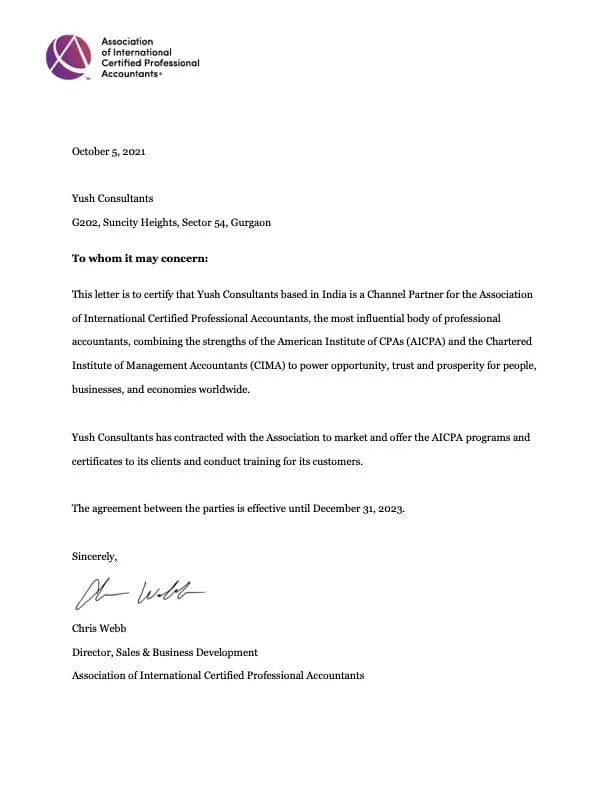
A: Yes. Eduyush is an authorized AICPA channel partner. Same content, same CPE credits, same Excel workbooks.
Q: Do I get a digital badge?
A: No. This course does not include a digital badge. If you need a LinkedIn-shareable credential, the Data Analytics Core Concepts, Data Processing and Analysis, or Data Visualization and Communication certificates all include digital badges.
Q: Do I need the Core Concepts Certificate first?
A: Not required. This is a standalone practical course. However, taking it alongside the Data Processing and Analysis Certificate creates the strongest combination of theory and hands-on tool skills.
Q: Which version of Excel do I need?
A: Power Query (Get and Transform) is built into Excel 2016 and later versions, including Microsoft 365. No additional software or add-ins needed.
Q: Is this just for Excel, or does it apply to Power BI too?
A: Power Query is the same engine in both Excel and Power BI Desktop. Skills learned here transfer directly to Power BI.
Q: How long does it take?
A: 4 CPE credits of self-paced content. Most learners finish within 1–2 weeks. You have 1 year of access.